
Export images and measurements
Choose whether to export a displayed image, source files or results.
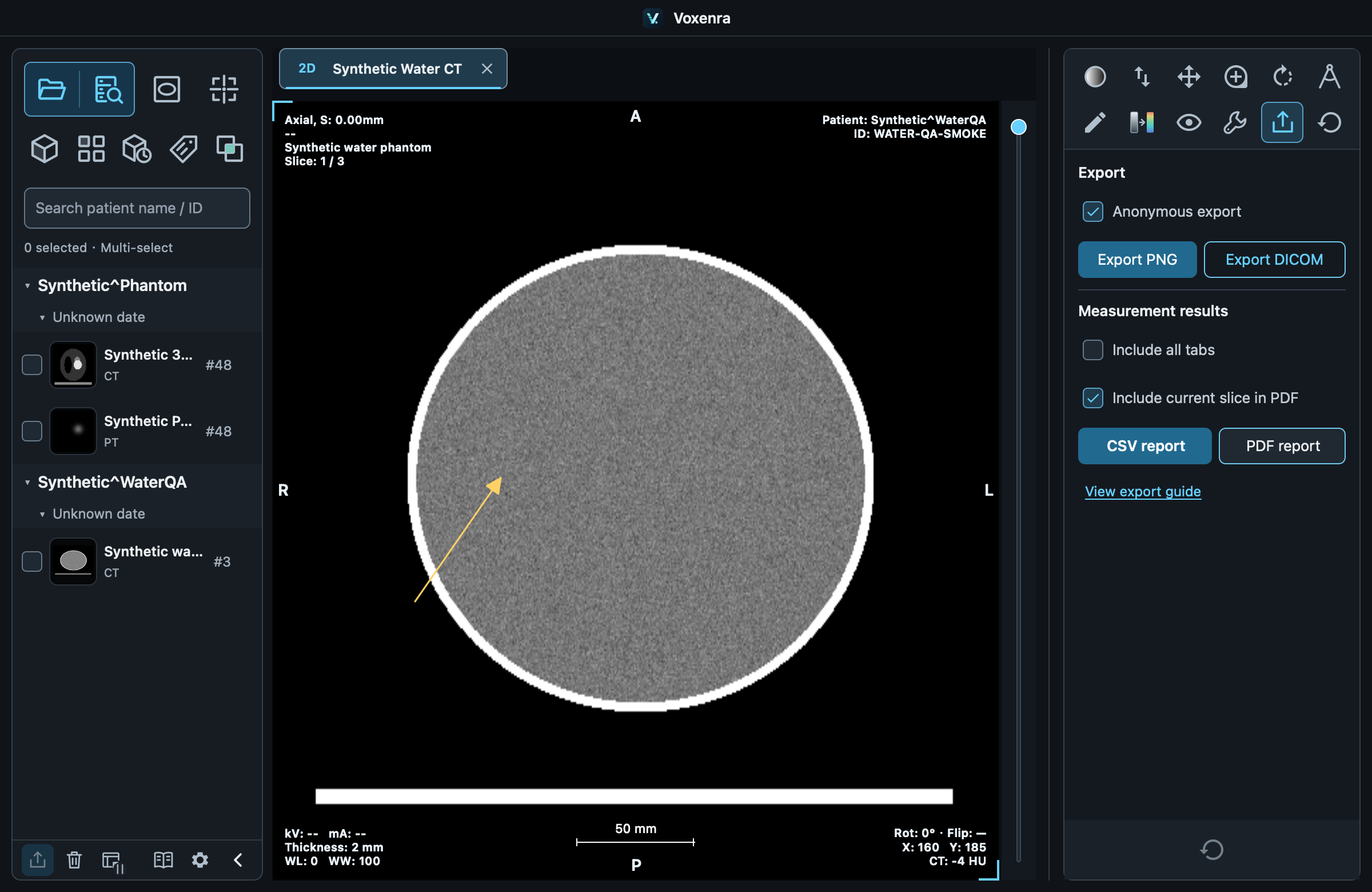
Current image · PNG
Right sidebar Export → Export PNG saves the active 2D/MPR viewport, the visible montage region, or the current 3D view and crop. Export is unavailable while the view is loading or has failed; all visible montage slices must finish loading. Anonymous export hides application-drawn identity text and text annotations, while preserving measurement lines and arrows.
Source images · DICOM
Exports source series and preserves pixels. Fusion saves sources separately; 4D includes phases. Windowing, measurements, segmentation and cropping are not written into DICOM. Cancelable tasks publish the output folder on success.
Whole series and measurements
Export series… at the bottom left saves all DICOM files or per-frame PNGs. Per-frame PNG excludes current viewport transforms and measurements. CSV report / PDF report exports completed results; see the report chapter for fields.
Anonymization
Enabled by default: clears DICOM identity metadata and hides PNG identity text. Original pixel text and faces are not erased. Declared identity pixels or embedded overlays cause anonymous export to be refused; check the images. Disabling anonymization retains identity information.
Find results
Click the highlighted result path to select the file in Finder / File Explorer or open its folder. Hover to read long paths. Canceled or failed exports show a reason.
SEG and structured SR
Use DICOM segmentation and structured report to export SEG or SR. Each SEG has its own segmentation statistics SR. Lengths, angles and ROIs produce a separate planar measurement SR; studies remain separate. Patient identity and source references are retained; anonymization above does not apply. Slicer 5.12.4 has limitations reading planar measurement SR; export PDF/CSV for viewing.