
Manual registration
Keep CT fixed and adjust PET's rigid position and orientation.
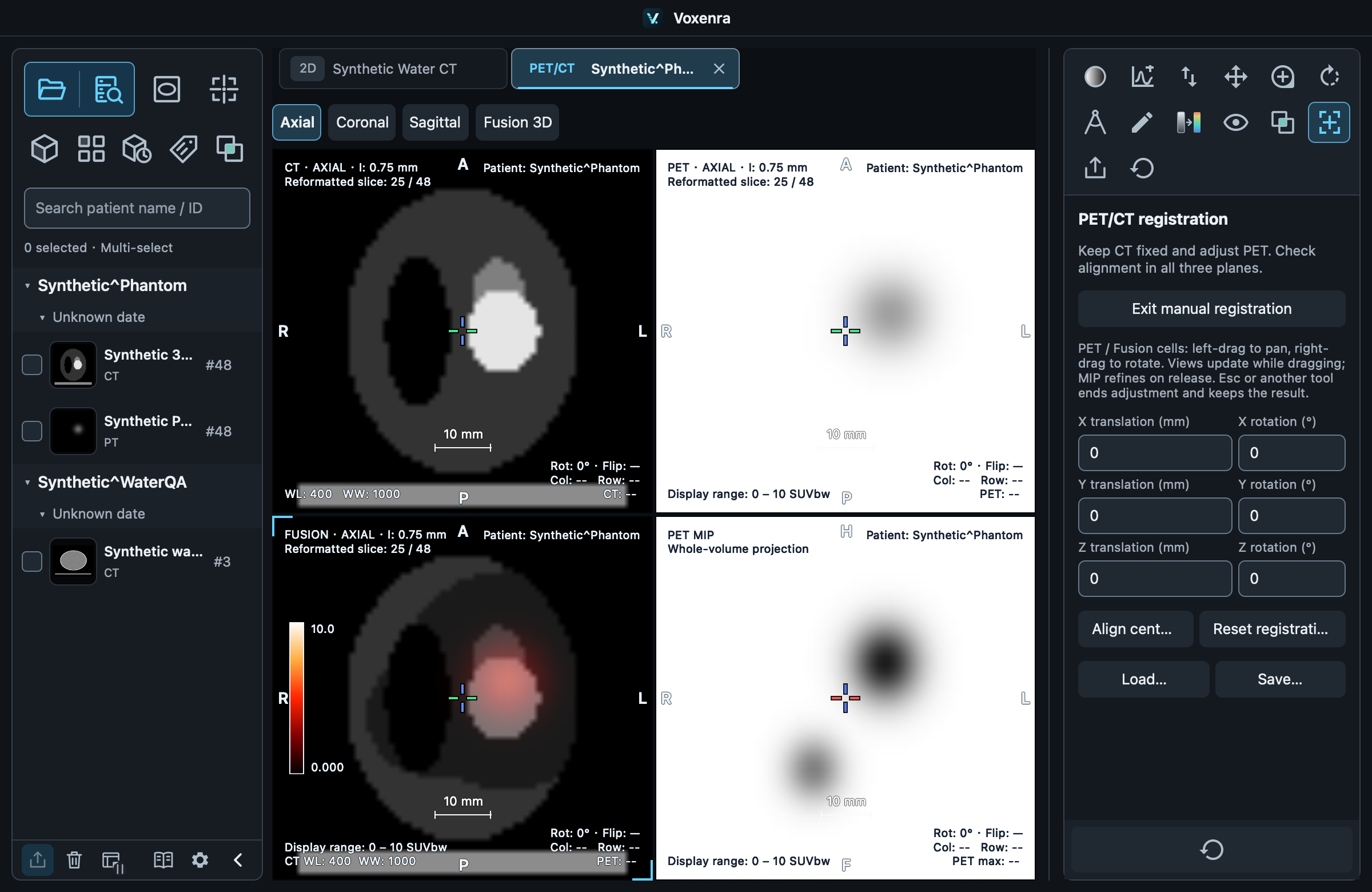
Adjust and verify
Choose Manual registration in fusion. In PET / FUSION, left-drag translates and right-drag rotates, taking priority over default windowing and zoom. Left-drag on the locator cross still repositions the locator. You can also enter parameters; full sampling updates on release. Check all three orthogonal planes, not just one direction.
Restore and save
Use Align centers, Reset, Load and Save. Reset restores the initial pairing transform. Registration files store transforms without modifying original DICOM. Loading verifies both source series.
Scope
Choosing another tool exits registration interaction. Automatic deformable registration is unavailable. Use CT/PET MPR for quantitative segmentation and VOI.