
CT water phantom QA
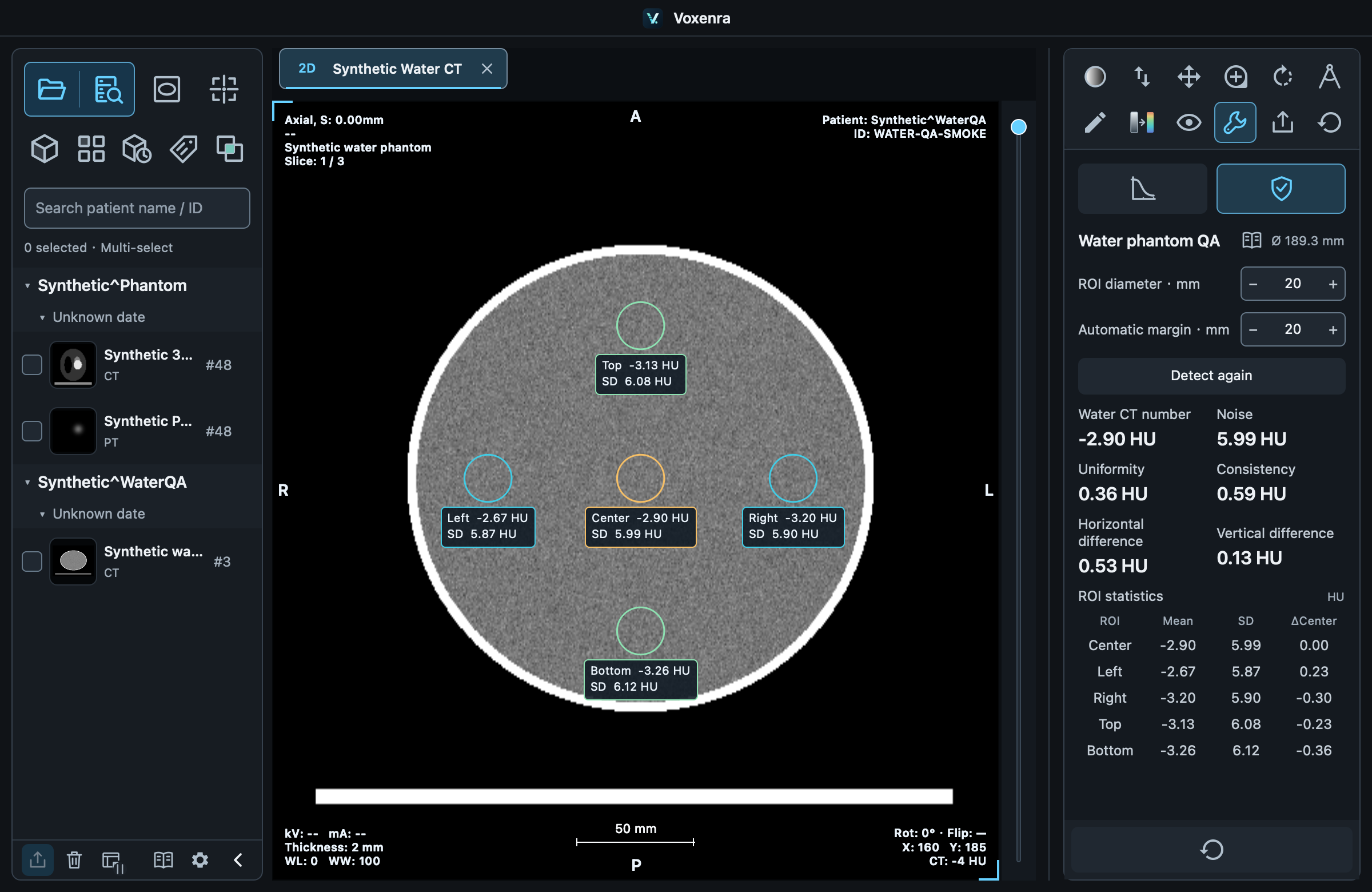
Analyze five circular ROIs on one water phantom CT slice.
1. Detect the phantom
In 2D, choose a complete, near-circular homogeneous water phantom slice and open Service → QA. Valid CT pixels and physical spacing are required. Five ROIs are placed at the center and periphery.
2. Adjust regions
Diameter and clearance default to 20 mm as starting values. Clearance is measured from the outer edge of each peripheral ROI to the phantom boundary. Changing parameters redetects and restores the five baseline ROIs. Drag inside a circle to reposition; release to calculate. All ROIs stay inside the phantom; baseline ROIs cannot overlap each other.
3. Read metrics
Water CT number: center ROI mean.
Noise: center ROI population standard deviation.
Uniformity: largest absolute peripheral-to-center mean difference.
Consistency: range of five ROI means; spatial variation on this slice, not repeatability.
Horizontal / Vertical difference: absolute left-right / top-bottom mean difference.
4. Read the table
Mean, SD and Δcenter are the ROI mean, population standard deviation and signed difference from the center mean, all in HU. Each row has a duplicate action for an independently movable copy. Only copies can be deleted; the five baseline ROIs are protected. Added ROIs do not contribute to five-ROI summary metrics. Display transforms do not affect statistics.
Reset and troubleshoot
Recent slice positions are cached for up to 16 slices. Reset water phantom QA clears and stops this viewport's QA. If detection fails, change slice, diameter or margin. Ensure complete ROIs with ≥ 16 pixels. Ordinary measurements and MTF are unaffected.
No automatic pass/fail result
Results describe this slice only. Default parameters are not universal acceptance recommendations. Interpret results with the test conditions.