
Drawing lengths, angles and ROIs
Activate a viewport, then choose a measurement tool.
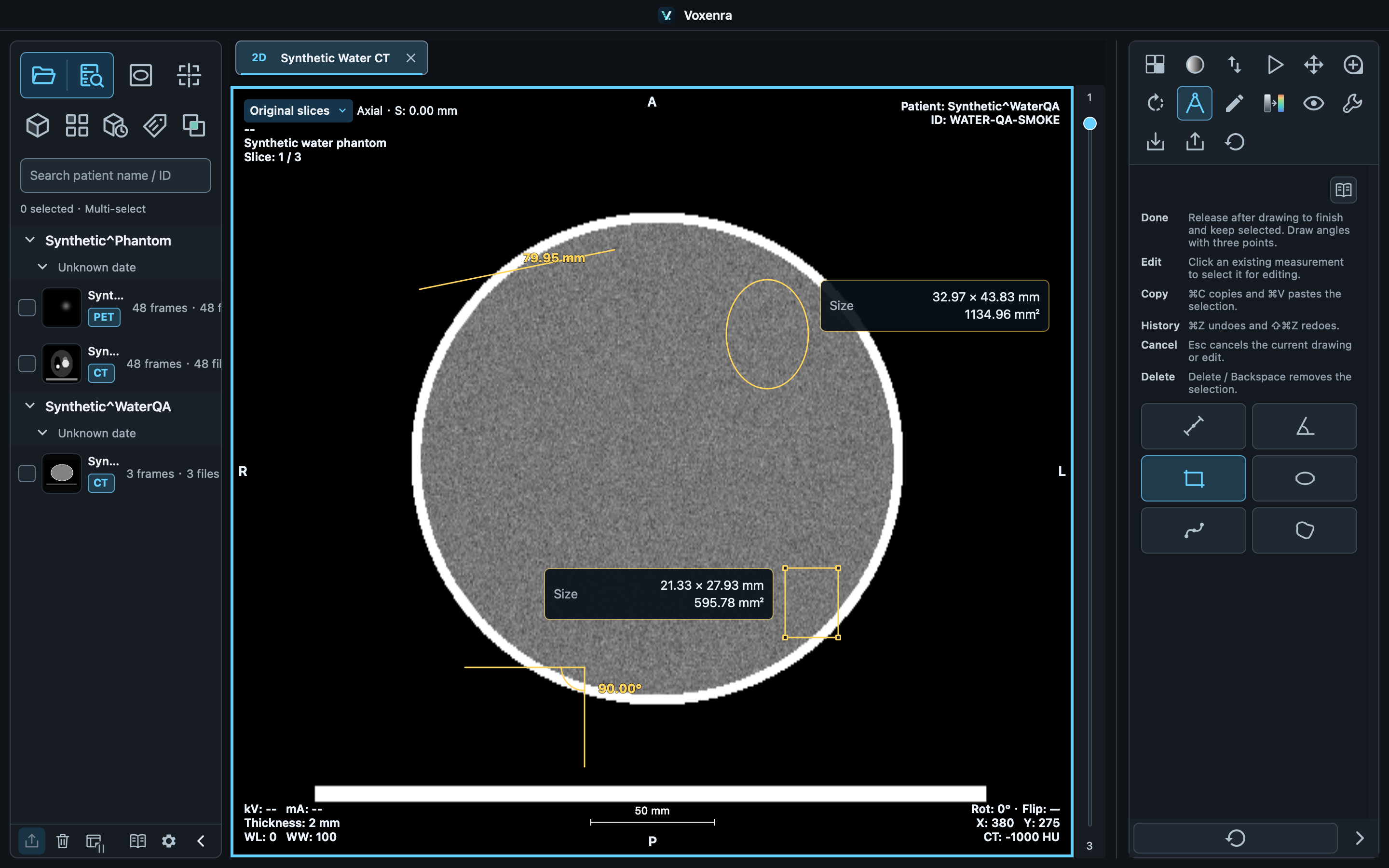
Length
Press → Drag → Release to finish a line. Length uses physical pixel spacing. Drag endpoints to adjust it.
Angle
Click Start → Vertex → End; the second point is the vertex. You can also drag the two arms in two steps. Angles range from 0–180°.
Rectangle and ellipse
Drag a bounding region and release to finish. Rectangles show width and height; ellipses show both diameters. Adjust corner handles, then release to update statistics.
Draw another
Completed objects stay selected and no longer follow the pointer. Drag on empty space to create another. Finish an angle's third point first.
Freehand ROI
Select Freehand ROI and click to place control points. A smooth closed curve passes through them. Pointer movement only previews the boundary. Click the first point, double-click or press Enter to finish; Esc cancels. Drag controls to reshape or the interior to move. Area, perimeter, pixel statistics and segmentation conversion use the smooth boundary. At least three points are required. Clicks or drags that would cross the contour leave the last valid shape unchanged. Existing polygon ROIs retain their original outlines.
Convert freehand ROI to segmentation
Select a completed freehand ROI in MPR / 4D and choose Convert to segmentation. Native voxel centers create one layer nearest the current plane, retaining the measurement without extending across slices. Oblique and projected contours are unsupported. Later contour edits do not update the mask, which can be saved and exported as SEG.
Curve
Select Curve and click to place at least three control points. Double-click or press Enter to finish; Esc cancels. The open smooth curve passes through its controls and reports physical arc length. Drag controls to edit. Clicks or drags that would cross or retrace the path leave the last valid curve unchanged. Copy, undo, workspace saving and measurement reports are supported.