
PET display and CT/PET quantification
View PET and check CT/PET units, thresholds and quantitative results.
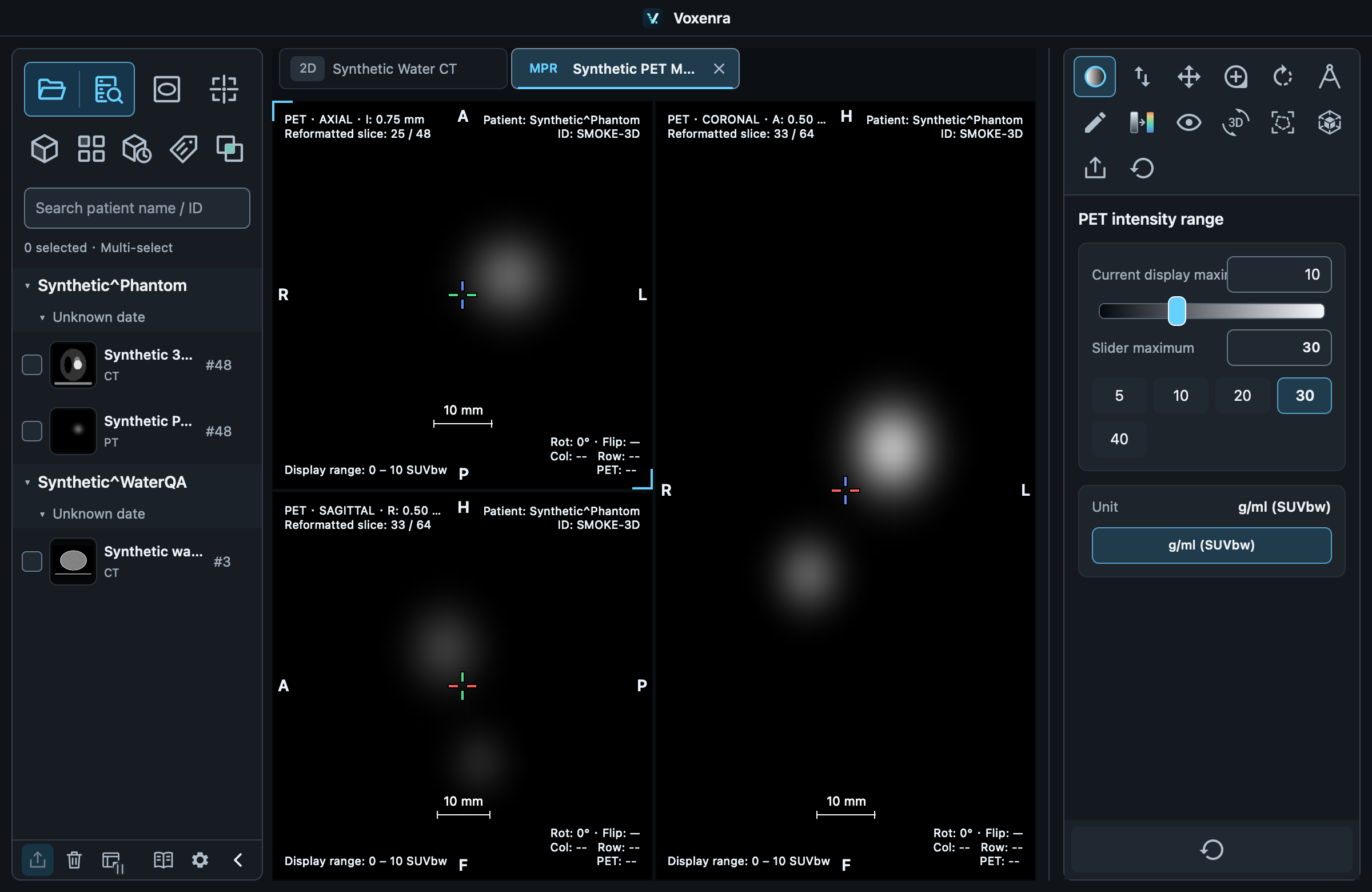
Standalone PET
Select a static PT series to open 2D, MPR or 3D directly, without CT. Standalone MPR has three planes; PET/CT fusion also offers MIP.
Display range
PET windowing sets display range, slider maximum and unit. Only supported units appear; missing SUV information falls back to source units. Color maps and opacity change appearance only.
Independent fusion controls
CT windowing affects CT/FUSION; PET windowing affects PET/FUSION/MIP. Changing display units does not change saved regions' quantitative thresholds.
CT and PET units
CT uses HU; PET uses the available SUVbw, native SUV or activity units without inventing missing SUV values. Quantitative segmentation and VOIs are available in CT/PET MPR and CT 4D. 4D uses the current phase’s original voxels.
Two threshold modes
Absolute uses the current unit. PET % is relative to the region maximum. CT % interpolates between minimum and maximum: 50% of −100 to 300 HU is 100 HU.
Check thresholds after changing units
Display units do not change the region's independent quantitative unit. Changing a region unit resets absolute thresholds to SUV 2.5 or source-unit 0; set them again. Percentage values remain unchanged.
Read results
MEAN / SD: mean and standard deviation; MIN / MAX: extremes; N: voxel count; VOL: cm³. Segmentation counts threshold-qualified voxels; VOI counts the whole region. Without valid results, N/VOL are 0 and other values are —. Windowing and color maps do not affect statistics.