
PACS query and import
Query and download images from a DICOMweb server.
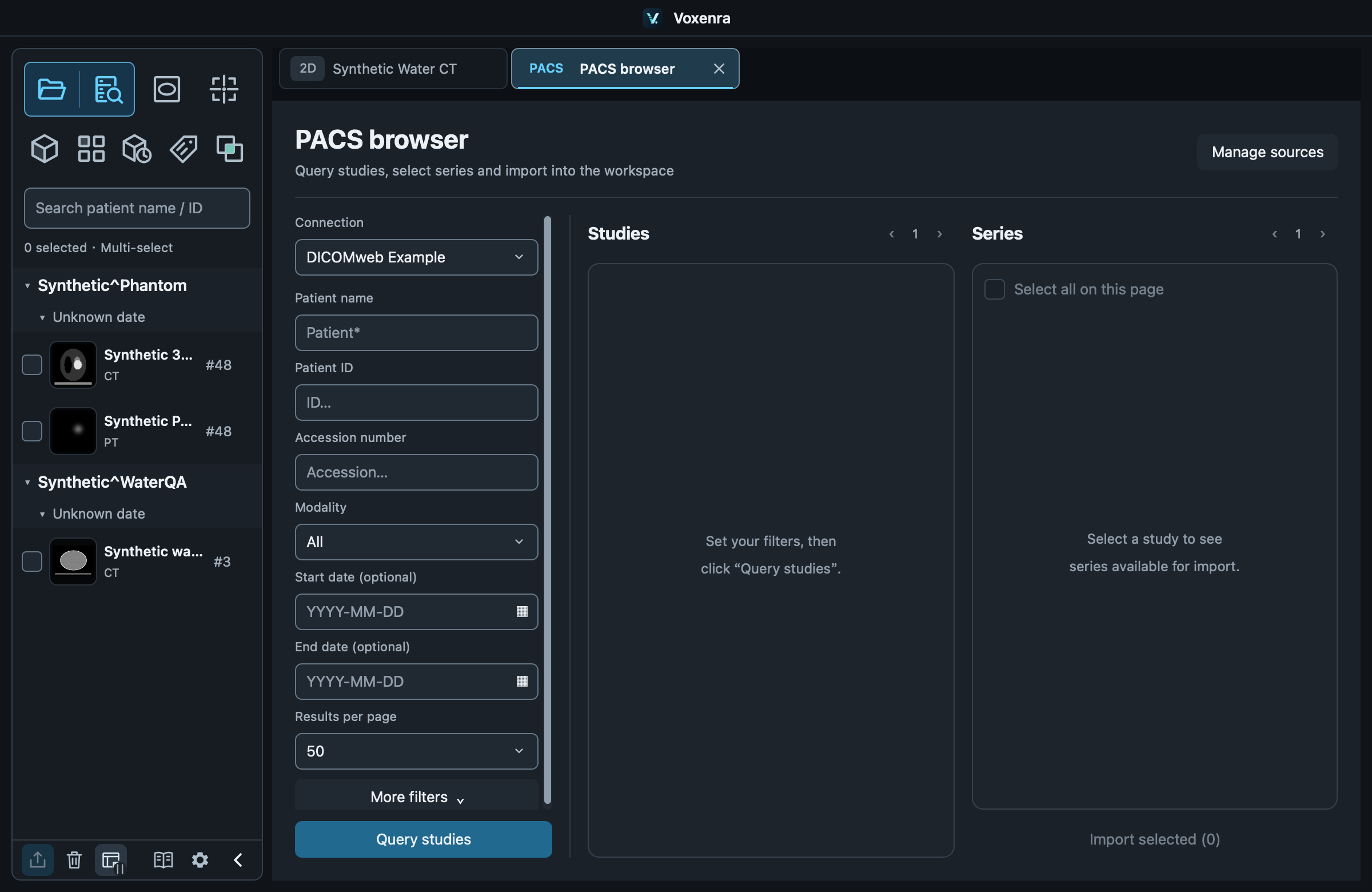
1. Configure a connection
Enable PACS in Settings → Sources, enter its DICOMweb address and authentication, then Test connection. Credentials last for this session only.
2. Query studies
Open PACS browser, choose a connection, then filter by patient, ID, accession, modality or date (YYYY-MM-DD). More filters include study UID and description.
3. Import series
Select a study, check series and import. Completed imports appear in the sidebar. Studies and series have separate pagination; downloads can be canceled.
Connection failed
Check the connection, address, credentials and server, then retry. DICOMweb is supported; DIMSE querying and receiving are unavailable.