
Measurement CSV / PDF
Use CSV for analysis and PDF for reading and sharing.
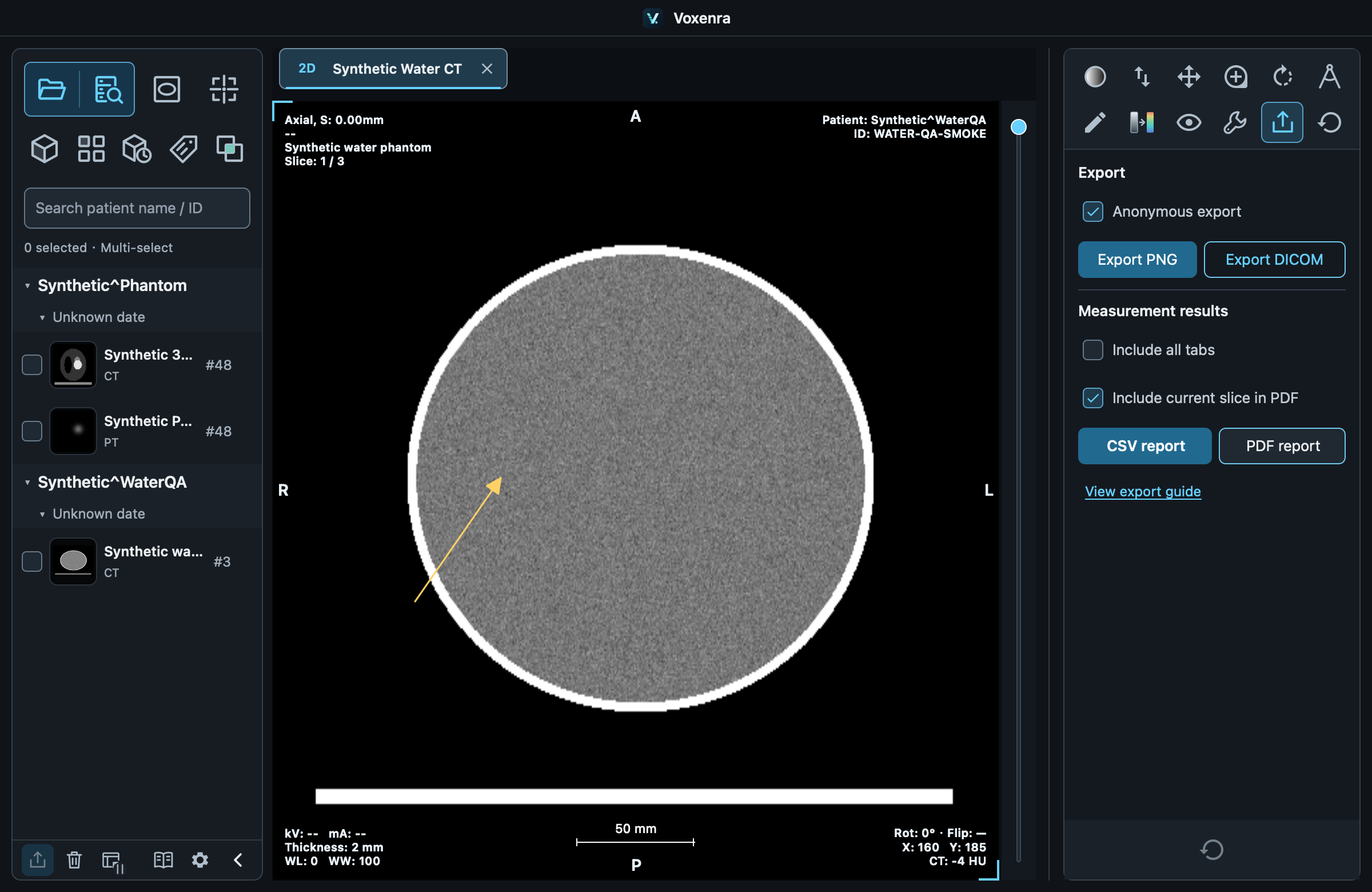
1. Choose scope
Use Export → CSV report / PDF report. The default is the current tab; check Include all tabs if needed. Finish or cancel editing and wait for VOI statistics first.
2. Check content
CSV includes type, view, slice / phase, plane coordinates and applicable length, angle, area, volume and intensity statistics. Missing values stay blank.
PDF numbers results and can include a current slice reference image. It does not visit every measured slice or include 3D screenshots. Values follow Settings → Measurements and annotations → Measurement precision, defaulting to 2 decimal places. Export uses the precision selected when it starts. The workspace retains the original measurement values.
3. Save and locate
Choose a location to export in the background. Click the highlighted file path to locate it in Finder / File Explorer. Statistics come from pixels or voxels, independently of windowing and color maps.
Anonymous scope
Anonymous export defaults on. It replaces patient and series names and omits IDs, UIDs, paths and free annotation text. Original pixel text is not erased. A workspace file is not an anonymous report and should not be shared for the same purpose.
Structured measurements · DICOM SR
Export SR produces a TID 1500 report retaining numeric precision, units, locations, tracking identifiers and source references. Native 2D images use image coordinates; MPR uses patient coordinates; VOIs/segments reference SEG. Reports are preliminary and unverified. Projection measurements and results without a verified source coordinate mapping stop export with an explanation.